MirrorMate - My Partner in the Mirror
はじめに
スマートミラー用のアプリケーションを久々に更新した。
Self-hosted personalized AI in a mirror.
もとは2020年のコロナ禍のときに研究室に行けず、暇な時間ができたことをきっかけに作ったもの。
その後ChatGPTが登場し、ローカルLLMが登場し、AI全盛の今の時代、スマートミラーのアプリケーションもそれに合わせたものに更新したほうが良いのではないかと思い、年末年始にいちから作り始めてみた。
OllamaとVOICEVOXによって全てフリーで構築することが出来たので、電気代以外はかからないようになっている。プラグインでウィジェット追加したりもできるので、今後定期的に育てて行きたい。
作り方
材料
- マジックミラー
- 木材
- モニター
- ラズパイ
マジックミラー
当時の発注書が見つかったので記載しておく。
マジックミラーは鏡の販売.comで購入した。
| 品種 : マジックミラー3ミリ(ガラス)透過率10%
| 形状 : 四角形
| サイズ : 横255mm × 縦432mm
| 切断面の処理 : 糸面【C】
| 単価 : 6,857円
| 数量 : 1
| 商品代金 : 6,857円
|-------------------
| 送料 : 950円
|-------------------
|   合計 : 7,807円
|  消費税 : 780円
| ━━━━━━━━━━━
| 合計金額 : 8,587円
| ━━━━━━━━━━━
木材
木材もおそらく購入したのだが、これはモニターサイズに合わせて図面を引いてウッドモールで購入した記憶だ。これについては残念ながら発注書が見つからなかった。
モニター
モニターはメルカリに出品されていたDELLのモニターを購入した。おそらくこれである。ディスプレイをフレームから取り外してこれが収まるように木材の図面を引いて発注した。価格は3,990円だった。
あとは塗装用にいくつか購入したがここらへんはオプションである。
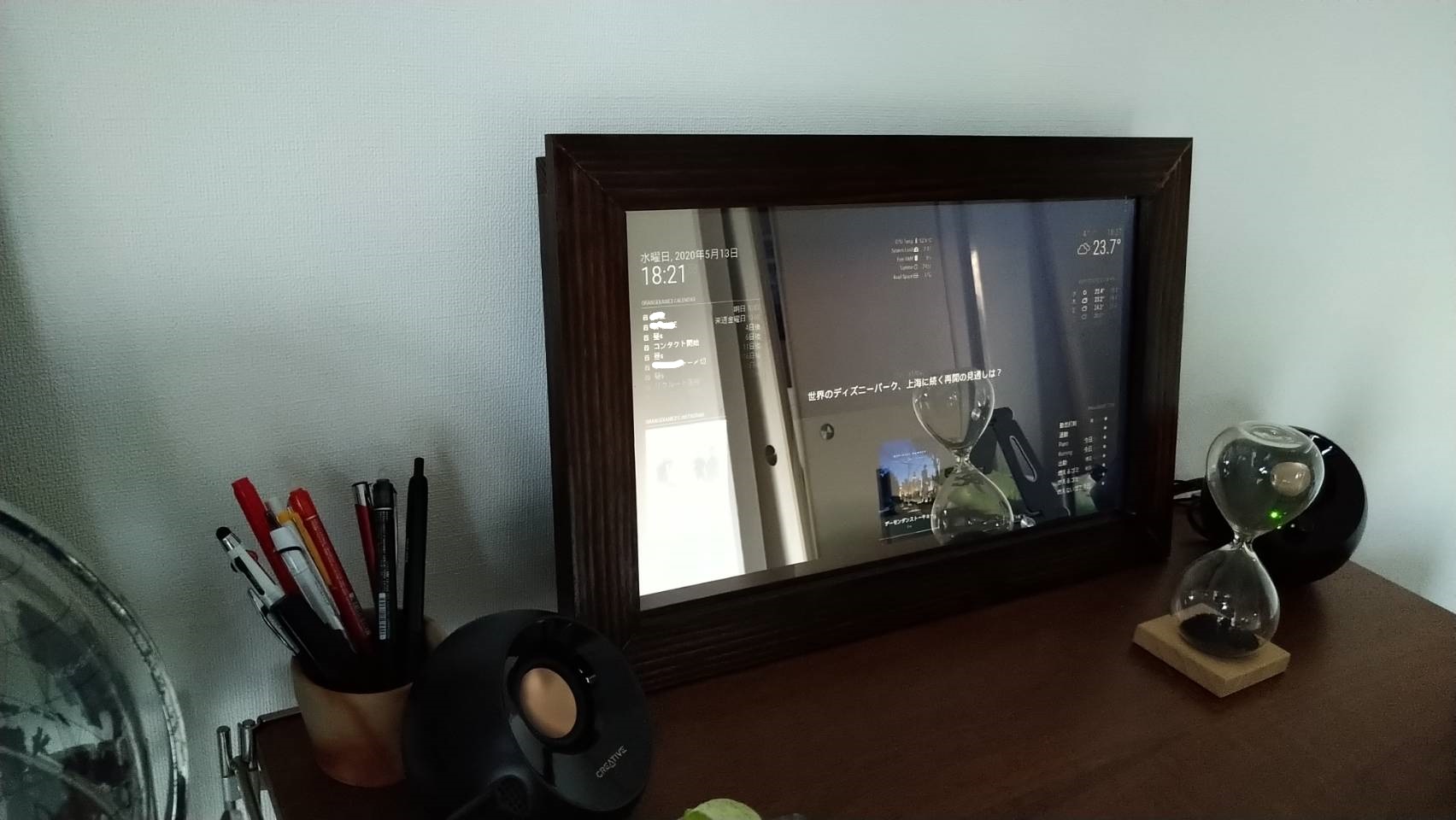
2020年当時に作ったのはこんな感じ。MagicMirrorという専用のアプリケーションを開発しているコミュニティがあるのでそれを使わせてもらった形である。当時音声認識を連携しようと思い、Alexaとの連携を試みたが、どうにも実用的ではなかったので導入を諦めた。
今はAIでの会話が非常にスムーズになっているのでテキスト生成までをOpenAIのchatで行い(Ollamaにもchatがあるため)生成したテキストをVOICEVOXに消費させるという方式が良さそうと考えて着手した。
出来上がったもの
こちらが出来上がったもの。MirrorMateと名付けた。
使い心地はGeminiとかChatGPTの音声機能にUIがついた程度のものと考えてもらえばいいと思う。自分のカレンダーを連携したり、天気情報を取得したり、WebSearchを使ってニュース検索したりはできるようにしているのでまずまずの使い午後地であると思う。
機能の設定などはなるべくYAMLで制御できるように気を使った。LLMのプロバイダ設定、キャラクターのシステムプロンプト、機能を組み合わせたワークフローの設定などができる。
ちなみにLLMのモデルだが日本語を使うという観点ではhf.co/rinna/qwen2.5-bakeneko-32b-instruct-gguf:Q8_0がちょうど良かった。TTSについてもOpenAIをつかうよりもVOICEVOXのほうが自然なイントネーションという観点では良かった。
mirrormate自体はOpenAIのAPIを使って以下のコマンドで気軽に試せるので使ってみていただきたい。ブラウザはChrome推奨である。
docker run -p 3000:3000 -e OPENAI_API_KEY=sk-your-key -e LLM_PROVIDER=openai -e TTS_PROVIDER=openai ghcr.io/orangekame3/mirrormate:latestまとめ
スマートミラーのアプリケーションを大幅に更新した。技術的な詳細については今後小出しにまとめていこうと思う。
Introduction
I recently updated my smart mirror application after a long time.
Self-hosted personalized AI in a mirror.
I originally built this back in 2020 during COVID when I couldn’t go to my lab and had some free time on my hands.
Since then, ChatGPT came along, followed by local LLMs—we’re now in the age of AI. I thought it was time to update my smart mirror to keep up with these advances, so I decided to rebuild it from scratch over the New Year’s holiday.
Since both Ollama and VOICEVOX are free and open-source, the only ongoing cost is electricity. I also added a plugin system for widgets, and I plan to keep improving it over time.
How to Build
Materials
- Magic mirror
- Wood
- Display monitor
- Raspberry Pi
Magic Mirror
I found the original invoice, so I’ll record the details here.
I purchased the magic mirror from Kagami no Hanbai.com.
| Type: Magic Mirror 3mm (Glass) 10% transmittance
| Shape: Rectangle
| Size: 255mm (W) × 432mm (H)
| Edge finish: C-cut (beveled)
| Unit price: ¥6,857
| Quantity: 1
| Subtotal: ¥6,857
|-------------------
| Shipping: ¥950
|-------------------
| Total: ¥7,807
| Tax: ¥780
| ━━━━━━━━━━━
| Grand total: ¥8,587
| ━━━━━━━━━━━
Wood
I ordered the wood online as well. I drew up a design based on the monitor size and ordered it from Woodmall. Unfortunately, I couldn’t find the invoice for this one.
Display Monitor
I bought a Dell monitor on Mercari. I believe it was this model. I removed the display panel from its original housing and designed the wooden frame to fit it. The price was ¥3,990.
I also picked up some painting supplies, but those are optional.
Here’s what I built back in 2020. I used MagicMirror, software developed by a community dedicated to smart mirrors. At the time, I tried to integrate voice recognition via Alexa, but it wasn’t practical, so I gave up on it.
Nowadays, AI conversations have become remarkably smooth. So I decided to use OpenAI’s chat API (or Ollama, which has the same interface) for text generation, then feed that text to VOICEVOX for speech synthesis.
The Finished Product
Here’s what I built. I named it MirrorMate.
Think of it as something like Gemini or ChatGPT’s voice feature, but with a visual interface. I’ve integrated it with my personal calendar, weather reports, and news search via WebSearch, so the overall usability is pretty decent.
I made sure that settings can be configured through YAML files. You can customize the LLM provider, character system prompts, and workflows that combine multiple features.
As for the LLM model, I found hf.co/rinna/qwen2.5-bakeneko-32b-instruct-gguf:Q8_0 works well for Japanese. For TTS, VOICEVOX produces more natural-sounding intonation compared to OpenAI’s offering.
You can try MirrorMate easily using the OpenAI API with the following command. Chrome is recommended as the browser.
docker run -p 3000:3000 -e OPENAI_API_KEY=sk-your-key -e LLM_PROVIDER=openai -e TTS_PROVIDER=openai ghcr.io/orangekame3/mirrormate:latestWrap Up
I’ve given my smart mirror application a major overhaul. I’ll share the technical details in future posts.